CRETEC / QBIC systems /

QBIC Tires · Automatic tire identification

QBIC Tires.
Read codes.
Identify tyres.

Tyre markings are becoming digital data. Deep OCR reads DOT content and dates and provides them for your plant processes.

QBIC Tires – Asset Rendering
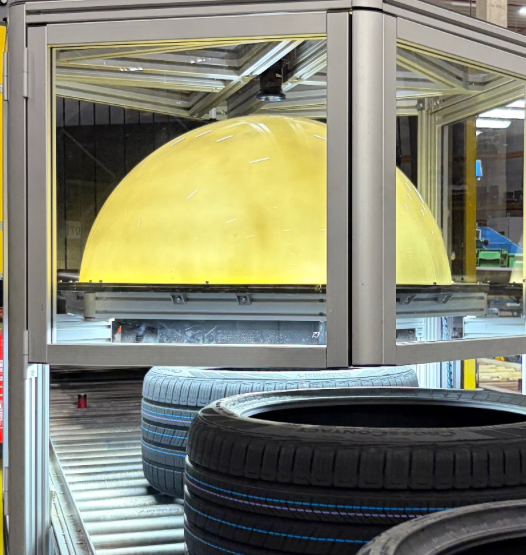
QBIC Tires: Close-up view of the test station with yellow illumination dome and tires on the conveyor belt
QBIC Tires / Plant in use

QBIC Tires in Motion

The installation.
In use.

QBIC Tires · plant video
Deep OCRAI-based text recognition
DOT + dateSeparate transfer of results
Nominal / actualTransparent assessment
CSLogging per tyre

Examples from the Application

Difficult writing.
Clear results.

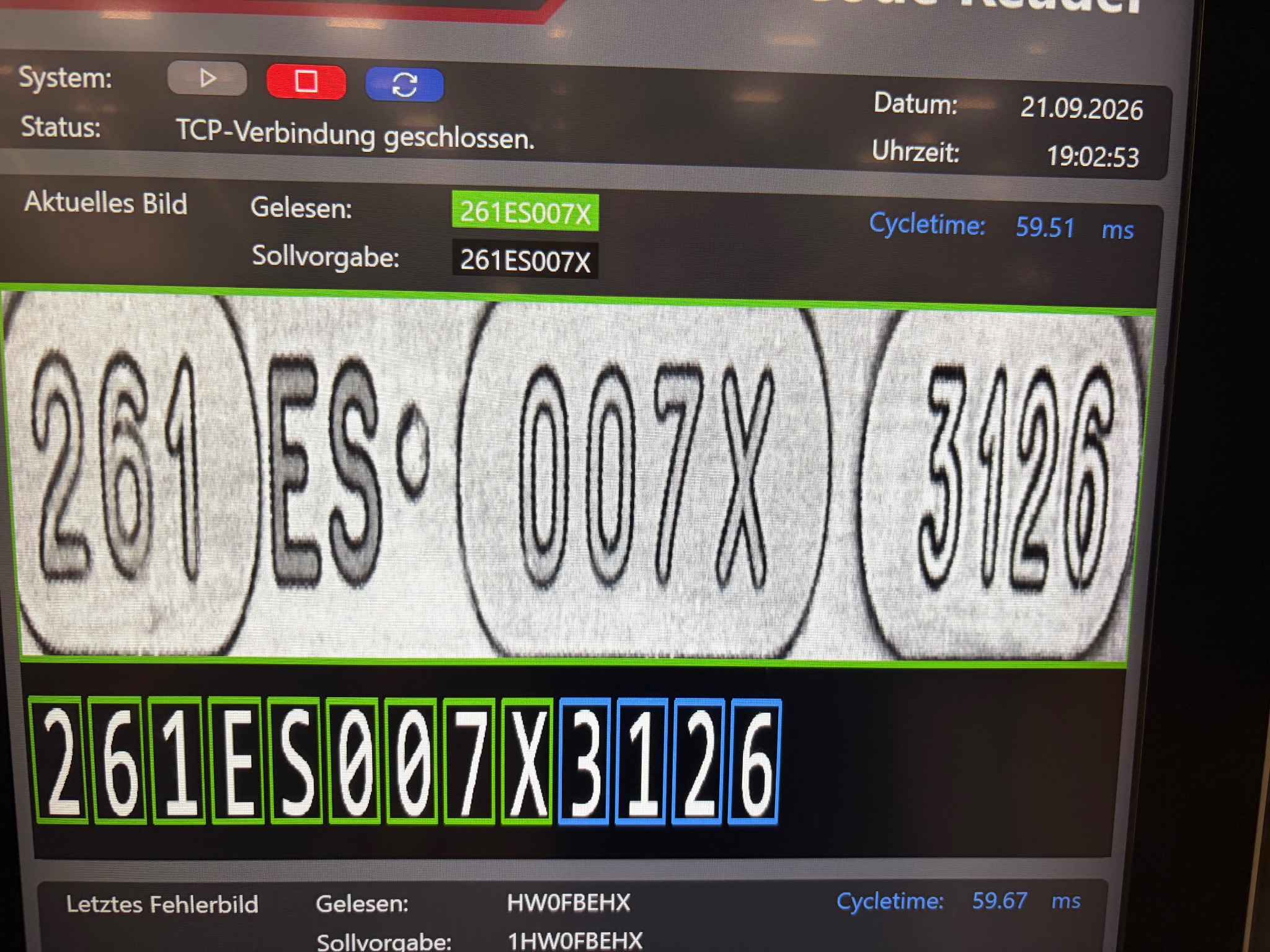
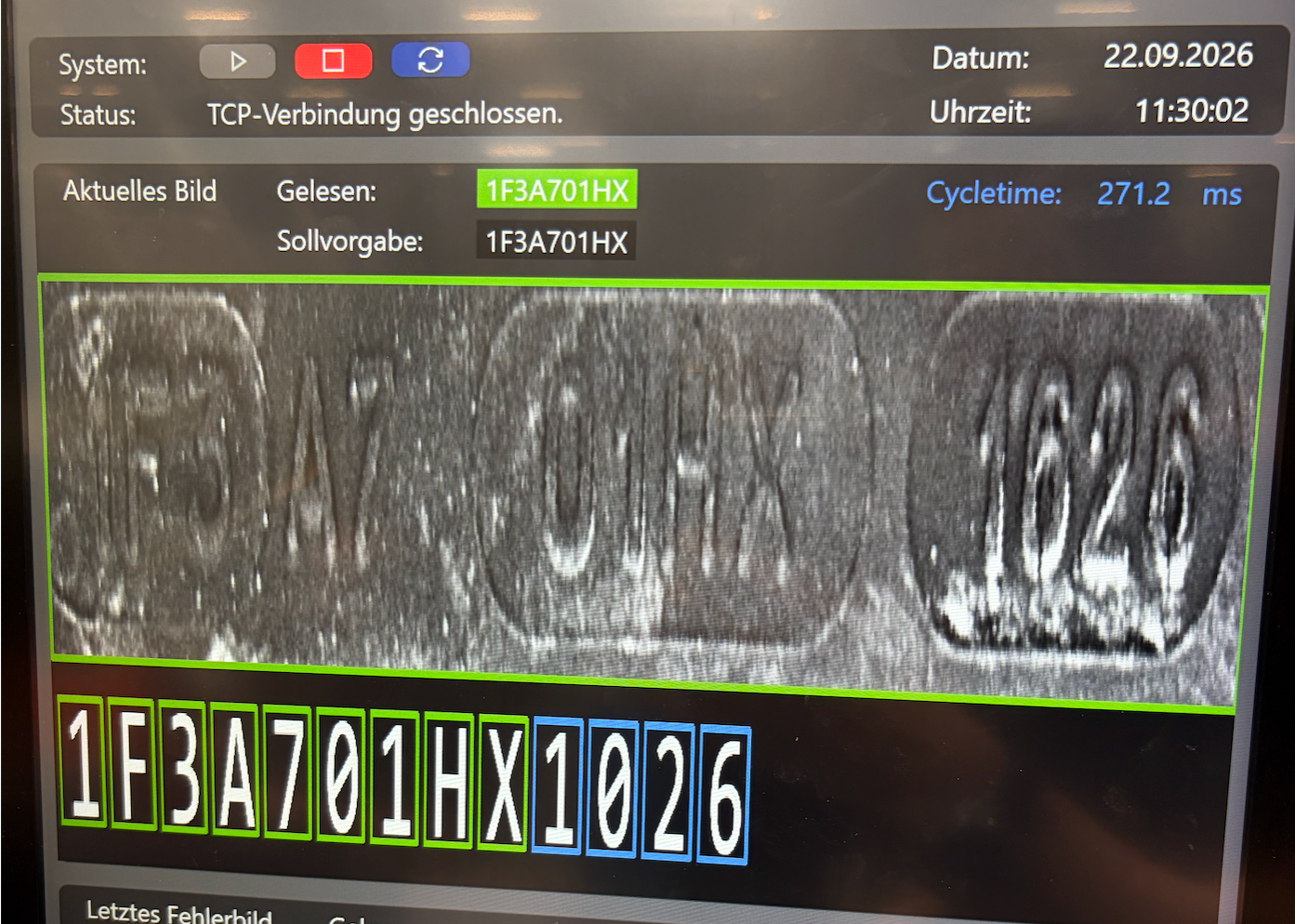
Embossing, contrast and image quality affect legibility. Both examples show successful recognition despite clearly different input images.

Well-readable template with successful OCR evaluation

Clearly legible marking

Clear signs. The read DOT content corresponds to the target specification.

Enlarge the image ↗
Hard to read template with successful OCR evaluation

Difficult-to-read marking

Low-contrast, weakly pronounced writing. Also in this example, the code was successfully recognized.

Enlarge the image ↗

Shown individual examples. Completeness and readability of the original remain crucial. Missing or destroyed signs cannot be reliably reconstructed.

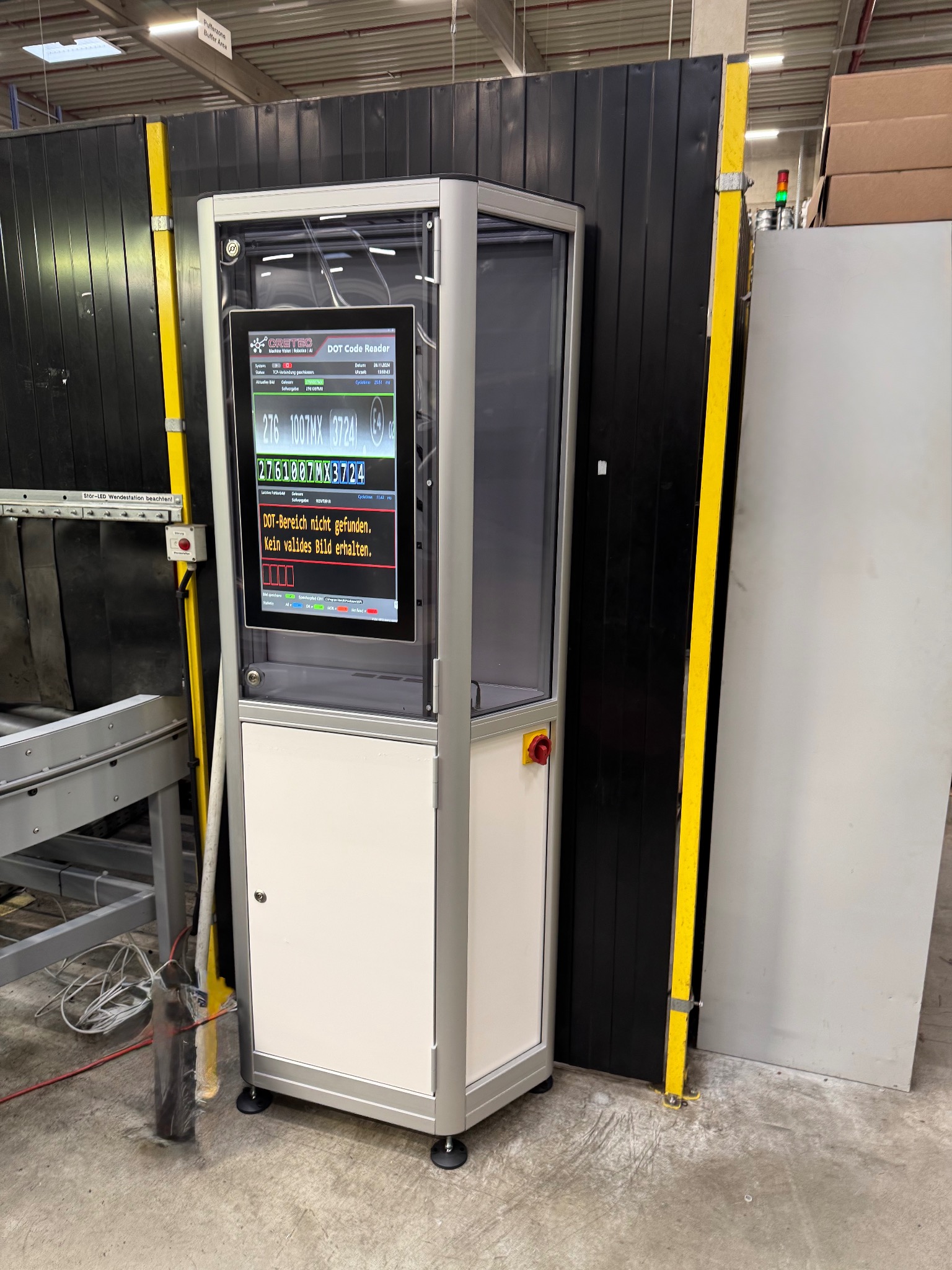
QBIC Tires: Control cabinet with screen to display DOT reading results
QBIC Tires / Control cabinet and operating display

Operation and visualization

Everything in sight.
Directly at the plant.

The control display on the switchgear cabinet shows the recorded tire markings, read characters and the comparison with the setpoint specification.

Color-marked results make discrepancies visible. Missing DOT areas or unusable images are also displayed – for a comprehensible evaluation in the ongoing process.

View the control cabinet in detail ↗

The procedure

From the component
on the result.

  1. 01

    Acquire the input image

    The image data is taken over for the OCR evaluation and appropriately prepared.

  2. 02

    Read characters

    HALCON Deep OCR captures the marking. The target content is not used for the reconstruction of unreadable characters.

  3. 03

    Evaluating results

    Read characters are compared with the target specification. Uncertainties and deviations are visibly marked.

  4. 04

    Transfer of data

    DOT content and date are transmitted separately as plain text to the higher-level production system.

Data and integration

Reading. Compare.
Document results.

Visualisation
Image display, target specification and reading result with colour marking of the evaluation.
Logging
CSV export per tyre with timestamp, target and actual contents and image mapping when storage is activated.
Image storage
Optionally, result images can be stored for tracking and analysis.
Incumbent installations
OCR evaluation also on a separate PC with transfer of existing image data. Interfaces are coordinated project-specifically.
Performance validation
Reading rates and processing time are assessed on the basis of representative image data and agreed test conditions.

Experience is like engine displacement...

Nothing can replace it,
except more of it.

Send us representative pictures of your tyre markings and the requirements for result transfer and cycle time.

Discuss reading task ↗QBIC Tires: Flyer as PDF ↓